
ATLAS - Location Profile Manager
Update once. Update everywhere.
Every facility detail lives in one place: hours, photos, amenities, FAQs, promos and local SEO. Change it here and it goes straight to your site. Connect your Google Business Profile and the edits you make there land on your pages automatically.

Storagely Self Storage
One place for every detail
No more spreadsheets! Manage hours, photos, amenities, promos and SEO for every facility, and sync directly to your site.
Your Google profile, in sync
Edit your Google Business Profile and watch your website automatically update.
Bulk changes, made easy
Edit individual locations, set custom facility groups, or apply global changes to your site, all at once.
The problem
Too many details. Too little time.
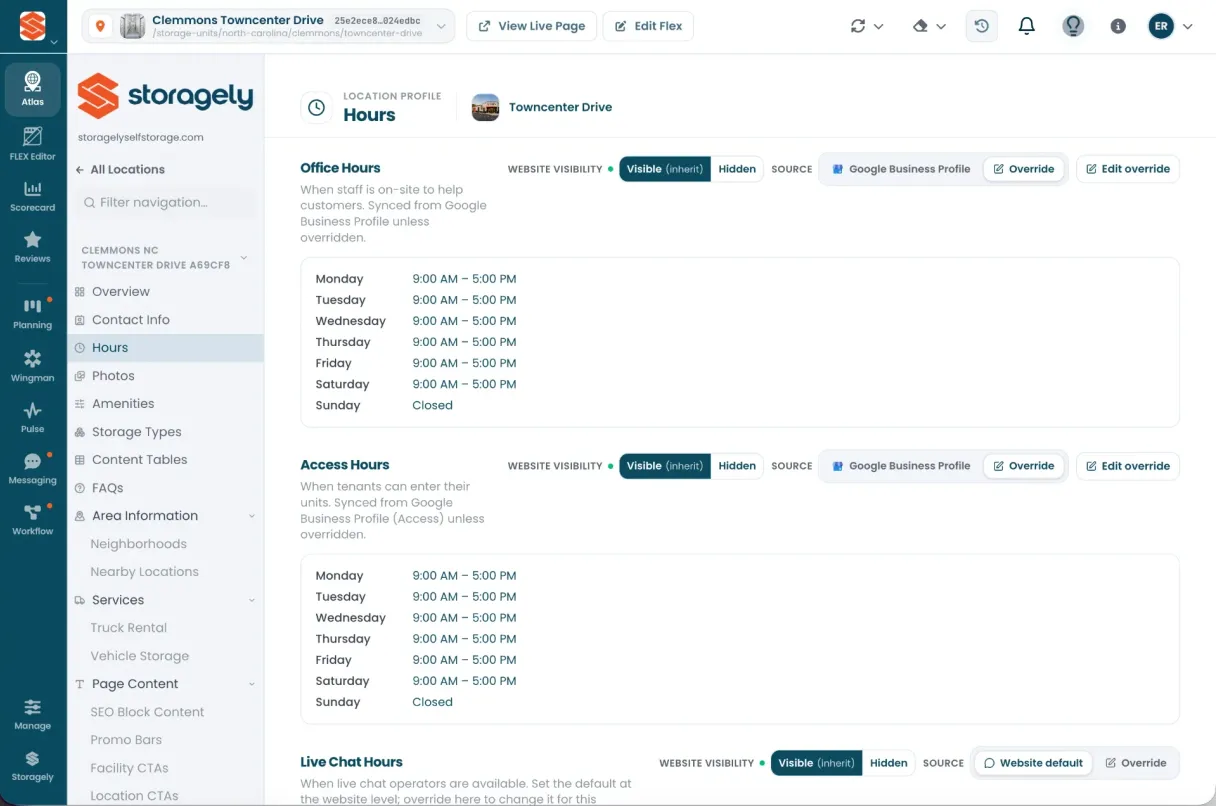
Ask an operator with a few dozen locations, "Where do your hours live?" and you will get four answers: the facility management software, Google, the website, and somebody's spreadsheet. Four answers means three of them are wrong. ATLAS is the solution.
How it works
Manage facility details and update your site all at once.
Import your data
Import data from your Google Business Profile, FMS, and other facility records
Edit your site
A simple update to your GBP or a manual change in ATLAS to hours, photos, amenities, promos, FAQs, SEO, etc. syncs directly to your live site. No support ticket needed.
See your changes live
It's that simple. Atlas syncs with our FLEX website editor to push updates to your live site. Need to enter something manually? No problem. Just click override and the power is in your hands.
Capabilities
The power is in your hands.
Bulk editing
Need to update a promotion? Easily apply to all locations, a custom group, or a single location, with just a click.
Custom Variables
Write an amenity description or FAQ once, and use variables to automatically customize that content to specific cities, states or locations.
Google Business Profile sync
Automatically sync hours, photos, reviews, etc. with your Google Business Profiles, or simply click override to enter your own manual details.
Multi-location dashboard
Save time and reduce errors by being able to easily view, compare, and edit multiple locations at once.
Built-in SEO
Edit on-page SEO per location, city and state market pages, and exactly one H1 on every location page.
Anyone can edit
With editing your site now as easy as updating GBP, editing a text field, or clicking a toggle, teams like revenue management, ops, or admin can quickly make their own updates.
Bring us your messiest location
The one with three phone numbers and a promo nobody can find. We'll map it live.